A pocket-sized approval surface for an AI agent team
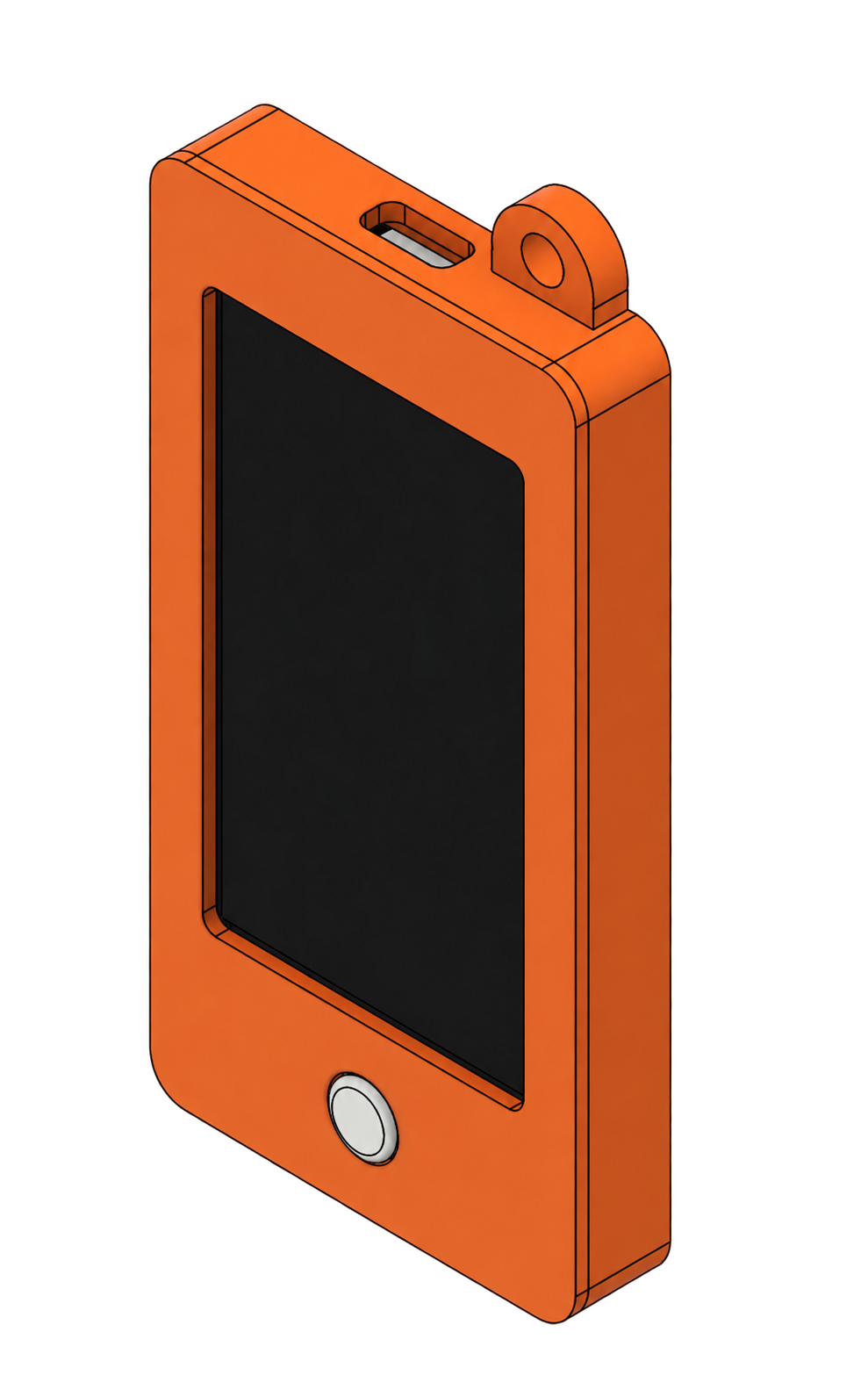
An assembled pocket-sized ESP32 device with a display, physical control, battery, and attachment loop for reviewing agent actions away from a laptop.
To make the AI Agent Team easier to use away from a laptop: the device could show a pending action and let me approve or reject it with a physical control.
From the initial question to a tested result
The assembled module brings a readable approval prompt, tactile control, compact electronics, and a carryable enclosure into one device.
Make the next action legible at a glance.
I gave the display most of the front face so an approval request can show its essential context. One tactile control beneath it makes a deliberate response possible while holding the assembled device in one hand.
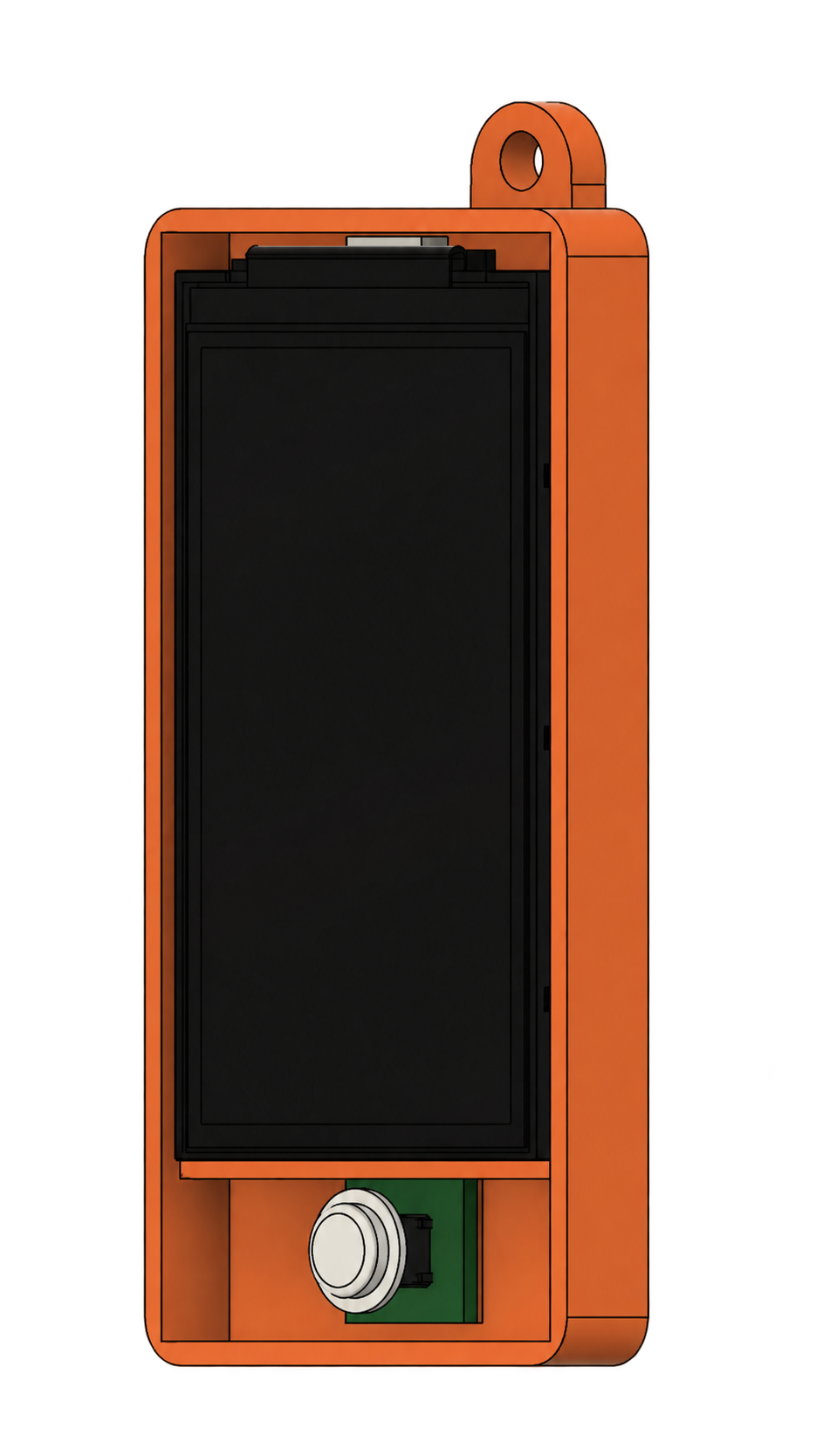
Fit electronics without hiding service access.
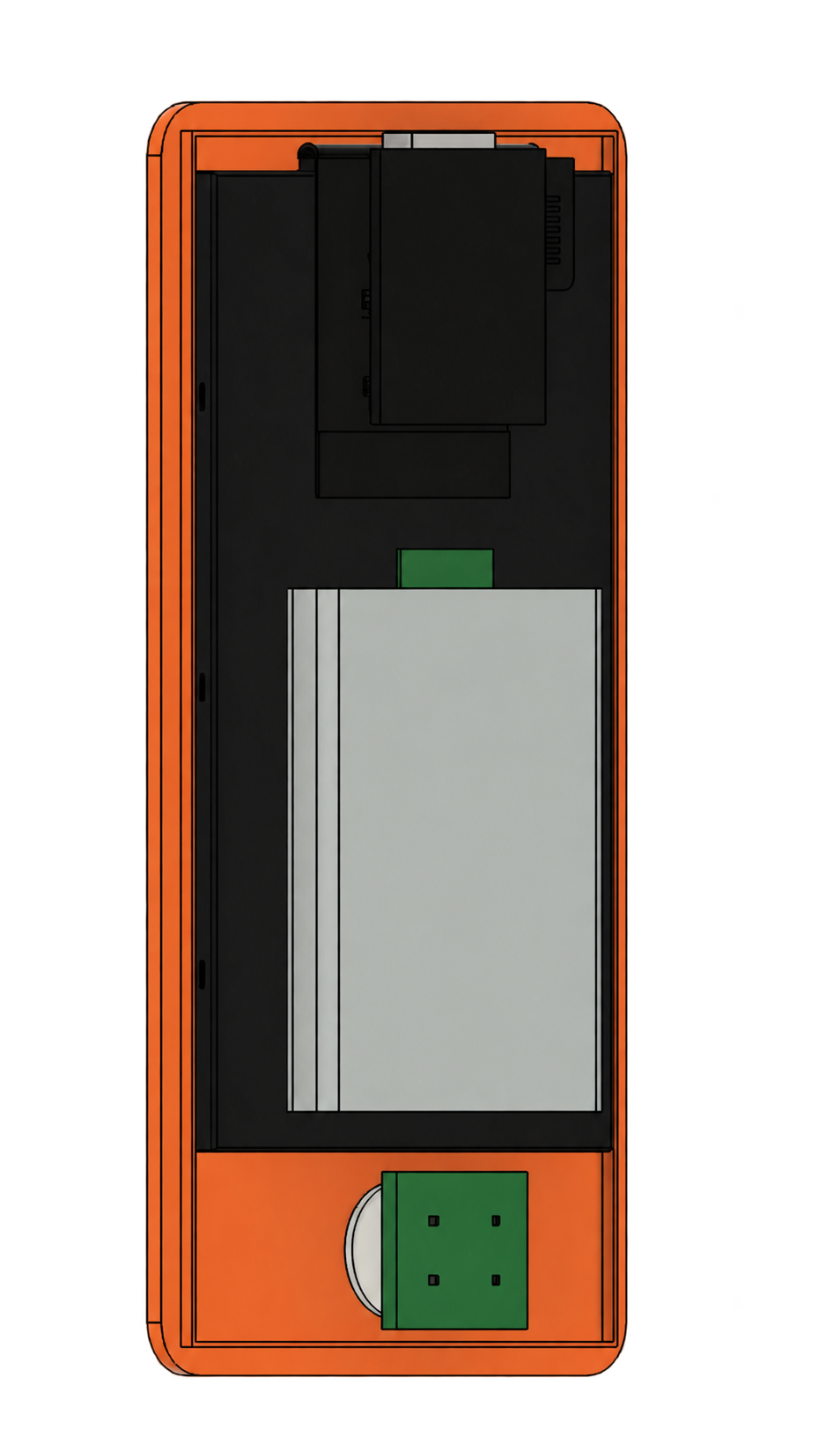
I stacked the display, controller, charging hardware, and battery within a shallow enclosure while keeping the internal modules accessible for assembly and revision. Runtime and thermal behavior remain to be measured.
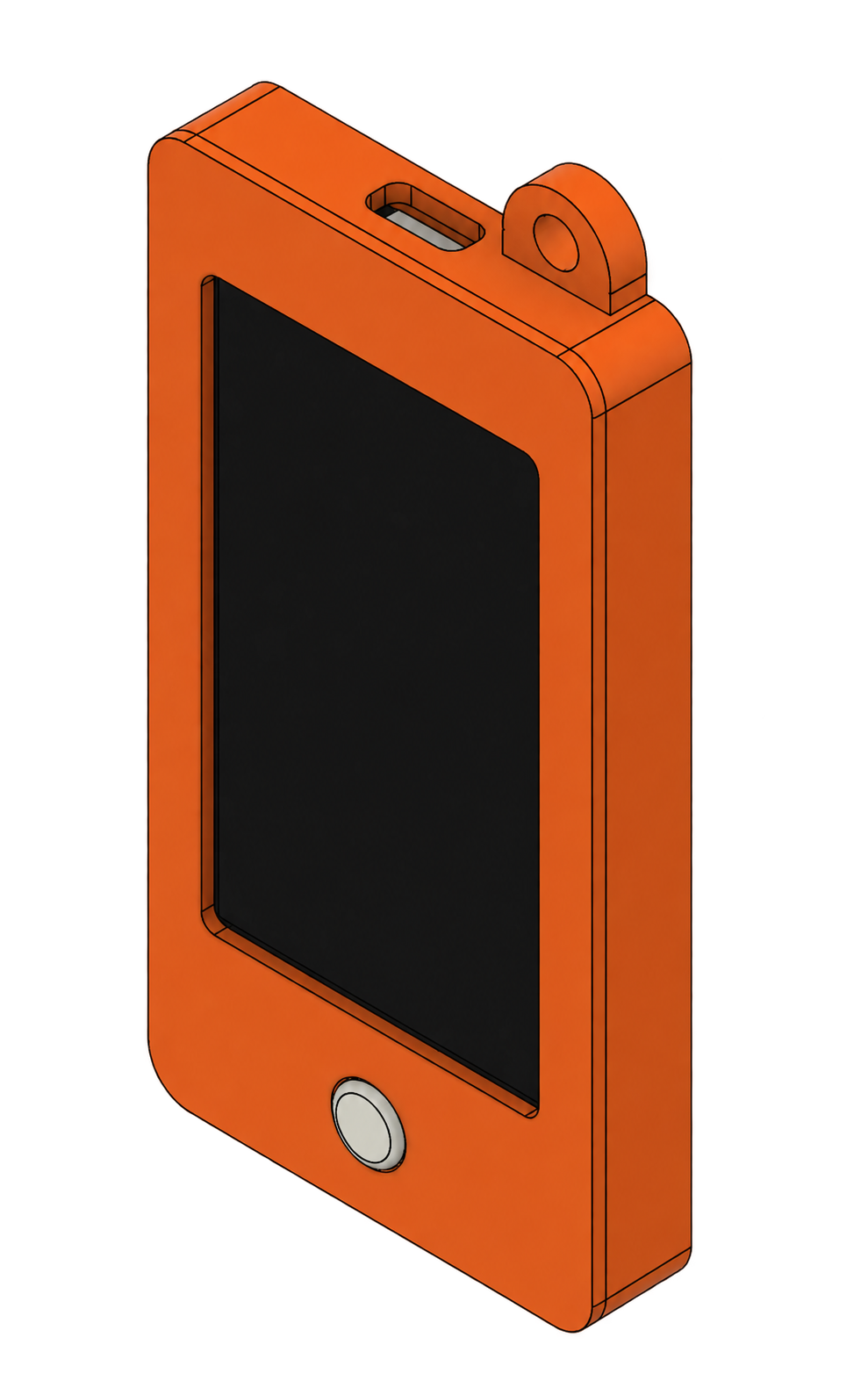
Design for availability, not a desk.
I integrated a carry loop and accessible charging opening into the enclosure so the assembled module can stay close at hand when an agent requests approval. Their durability still needs repeated-use testing.
Three decisions that shaped the project
Each decision connects a technical constraint to the choice I made, the analysis behind it, and the tradeoff that followed.
How should an agent request approval away from a laptop?
Pair a readable display with one tactile control
An agent approval is useful only if the user can see the context and respond intentionally. I allocated most of the front area to the display and placed the physical control beneath it for one-handed use.
A single control keeps the device small and the decision deliberate, but complex edits and longer explanations still belong on a larger screen.
Make the next action legible at a glance.
I gave the display most of the front face so an approval request can show its essential context. One tactile control beneath it makes a deliberate response possible while holding the assembled device in one hand.
- Prioritize readable decision context
- Separate viewing from physical confirmation
- Keep the control reachable when held in one hand
How should the electronics fit at pocket scale?
Stack the display, controller, battery, and charging hardware inside a serviceable enclosure
The screen, battery, controller, and charging hardware share a shallow shell. Keeping those parts accessible made assembly and later revisions practical.
The compact package makes the device easy to carry but limits battery capacity, thermal margin, and space for wiring and connectors.
Fit electronics without hiding service access.
I stacked the display, controller, charging hardware, and battery within a shallow enclosure while keeping the internal modules accessible for assembly and revision. Runtime and thermal behavior remain to be measured.
- Stack display and electronics within the enclosure depth
- Reserve space for battery and charging hardware
- Keep assembly and revision practical
How can the device stay available throughout the day?
Add an integrated attachment loop and accessible charging opening
The top attachment loop and charging opening let the assembled module travel with the user. Their stiffness, clearance, and durability remain repeated-use test questions.
The loop adds material and creates a load path that needs testing, while the charging opening must remain accessible without weakening the shell.
Design for availability, not a desk.
I integrated a carry loop and accessible charging opening into the enclosure so the assembled module can stay close at hand when an agent requests approval. Their durability still needs repeated-use testing.
- Integrate the carry loop into the shell
- Balance screen area with enclosure strength
- Check charging access and button clearance